Filter by Brand


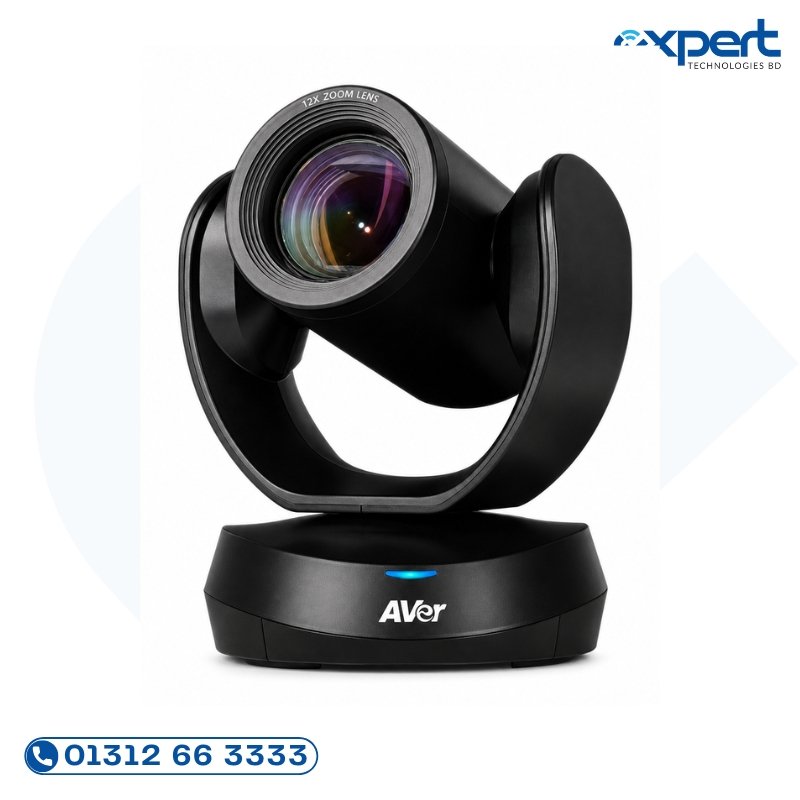
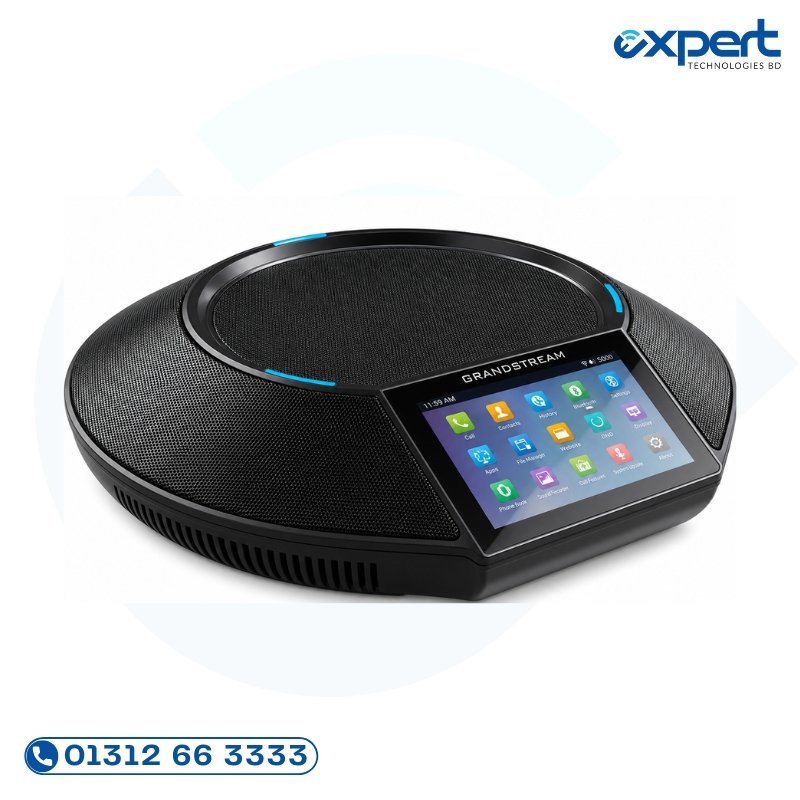

Top Video Conferencing Systems – Pricing & Top Models (2026)
A complete system usually includes a PTZ camera, speakerphone, and a central hub. Below is an indicative price table for the most popular models in Bangladesh.
All-in-One Video Bars (Soundbar Style)
Ideal for: Modern offices wanting a clean, single-cable look.
| Product Model | Brand | Platform Certified | Room Capacity | Key Feature Highlight | Est. Price (BDT) |
|---|---|---|---|---|---|
| Yealink A30 (with CTP18 Touch Controller) | Yealink | Zoom / Teams / RingCentral | 4–8 Pax (Small) | Built-in Android OS, 4K Camera, Speaker tracking, Wireless mic support included. | ৳95,000 – ৳110,000 |
| Poly Studio X30 | Poly (HP) | Zoom / Teams / OpenSIP | 4–10 Pax (Small/Med) | Ultra-compact, Native Teams UI, 4K sensor, Premium Audio by Polycom. | ৳105,000 – ৳125,000 |
| Logitech Rally Bar Mini | Logitech | Zoom / Teams / Meet | 4–8 Pax (Small) | AI View Finder (Logi AI), Appliance Mode, Rally Mic Pod compatible. | ৳145,000 – ৳165,000 |
| Neat Bar (Gen 2) Pro | Neat | Zoom / Teams / Google Meet | 6–12 Pax (Medium) | "Neat Symmetry" (auto-framing), incredibly fast setup, stunning design. | ৳165,000 – ৳190,000 |
| Logitech Rally Bar Standard | Logitech | Zoom / Teams / Meet | 10–16 Pax (Large/Standard) | Dual screen support, RightSight auto-framing, enterprise grade reliability. | ৳240,000 – ৳275,000 |
Enterprise Codec & PTZ Camera Systems
Ideal for: Large boardrooms, courtrooms, lecture halls where cameras are placed far from screens.
| Product Model | Brand | Capacity | Key Specs | Est. Price (BDT) |
|---|---|---|---|---|
| Cisco Room Kit Plus (CODEC + Quad Cam) | Cisco | 15–25+ Pax | Best-in-class 4K codec, Webex Intelligence, Touch 10 controller. | ৳450,000+ |
| Crestron 1 Beyond AutoTracker Camera | Crestron | Variable | Advanced facial recognition, NDI/SDI output for broadcast mix. | Quotation |
| PTZOptics Move SE (4K Motorized) | PTZOptics | Large Venue | 60fps low-latency, 20x optical zoom, great for education/broadcasting. | ৳130,000 – ৳160,000 |
💡 Important Note: Video hardware prices fluctuate based on the Dollar Exchange Rate and Global Chip Shortage recovery status. For the most accurate stock availability and confirmed BDT pricing valid for 7 days, please Request a Quotation below.
Choose Your Solution by Application
Video conferencing needs vary drastically between a startup meeting room and a government parliament hall. Select your use case below:
Option A: By Collaboration Platform (Certified Hardware)
Using the wrong uncertified device leads to poor call quality and compatibility issues.
Microsoft Teams Rooms (MTR)
For organizations strictly standardized on Microsoft 365.
Top Recommended Hardware:
- Logitech Tap + Rally Bar: The gold standard for mid-to-large MTRs.
- Poly Studio X70 + TC8: Touch-controlled, sleek executive aesthetic.
- Yealink MVC Series: High value-for-money alternative for budget-conscious enterprises.
Zoom Rooms (ZR)
For organizations using Zoom as their primary communication backbone.
Top Recommended Hardware:
- DTEN D5/D7: All-in-one touch display (No PC needed). Very popular now.
- Neat Pad + Neat Bar: Simplified user experience, great for SMBs.
- Poly G7500/Trio C60: Scalable for large auditoriums running Zoom.
BYOD (Bring Your Own Device)
If you want flexibility so any laptop can connect (Zoom one day, Google Meet next day).
Top Pick: Logitech MeetUp or Jabra PanaCast (USB plug-and-play).
Project Packages & Estimations (Installation Included)
We offer turnkey packages designed to remove technical complexity from your team.
Package 1: The "Startup-Hub" (Up to 6 Pax)
Perfect for: Agile pods, branch manager rooms, private offices.
- Solution: Wall-mount Monitor (43"-55") + USB Video Bar (e.g., Poly Studio X30) + Cable management raceway.
- Complexity: Low. User brings own laptop. Simple USB-C connection.
- Estimated Total Cost (Display + AV Gear): BDT 120,000 – 180,000
Package 2: The "Executive Boardroom" (10–18 Pax)
Perfect for: CEO meetings, Board Directors, Client pitches.
- Solution: Twin Display Setup (Content + People View) + Logitech Rally System (Base + Hub + Table Mics) + Crestron/Logitech Tap Controller.
- Complexity: High. Requires Cat6 cabling, HDMI over IP, room automation integration.
- Estimated Total Cost: BDT 400,000 – 700,000 (Highly depends on display brand)
Package 3: "Lecture Hall / Training Center" (40–100+ Pax)
Perfect for: Universities, Corporate Townhalls, Religious Centers.
- Solution: Dual PTZ Cameras (Wide shot + Teacher Tracking) + Ceiling Array Microphones + Public Address Amplifier + Recording Livestream Encoder.
- Complexity: Very High. Requires specialized acoustic treatment and broadcast workflow.
- Estimated Total Cost: BDT 900,000 – 2,500,000+
Key Features to Check Before Buying (The Technical Edge)
Don't just buy a camera resolution. Look at these specs that matter in real meetings:
- AI Auto-Framing (Speaker Tracking):
Does the camera automatically zoom in when someone stands up to speak?
Crucial for: Legal hearings, training sessions, hybrid meetings where remote users feel disconnected. - Appliance Mode (Compute Built-in):
Does the system run natively without needing a separate dedicated PC?
Benefit: Lower TCO (Total Cost of Ownership), less maintenance, no Windows updates crashing the meeting. - Field of View (FOV):
Wide-angle (120°+) helps capture whole small rooms. Narrower FOV (70°) is better for large halls to show faces clearly without distortion. - Low-Light Sensitivity:
Many BD meeting rooms lack proper lighting. Look for cameras with >90dB SNR sensitivity so you don't look like a silhouette. - Content Sharing:
How do you share your screen? (Wireless HDMI, native casting, direct HDMI share button).
Installation Service — Why You Need Pros
Buying a video conferencing system online and trying to install it yourself is the #1 cause of failure in Bangladesh.
Common DIY mistakes:
❌ Bad Cabling: Using cheap CAT5 cables resulting in sparkly 4k video.
❌ Audio Echo: Placing the TV speakers too close to the table mics.
❌ Camera Position: Mounting too high (nose view!) or too low (chin view).
❌ Network Bottlenecks: Not segregating Conference VLAN traffic from general Facebook/YouTube browsing traffic.
Our Installation Promise:
✅ Site Survey First: We measure the room, check lighting angles, and cable path feasibility before you buy.
✅ Cable Infrastructure: We pull cables through ceiling/walls professionally (PVC conduit used).
✅ Acoustic Calibration: We tune volume levels so remote callers hear everyone equally.
✅ User Handover: We train your admin/staff on "One-Touch Join" simplicity.
Related Categories
Complete your meeting room ecosystem: